
What is llms.txt and Why Should Your Site Have One

llms.txt is a proposed text file, placed at a website’s root (yoursite.com/llms.txt), that gives AI systems a curated, markdown-formatted summary of a site’s most important content. The idea, introduced by Jeremy Howard of Answer.AI in September 2024, solves a real, practical problem: AI systems have limited context windows and struggle to efficiently parse a full webpage’s HTML, navigation, and ads. Instead of making an AI crawler guess at what matters, you hand it a clean, direct map.
The spec defines two files. /llms.txt is a short overview: an H1 title, a one-line summary, and organized links to your key pages. /llms-full.txt is the expanded version, often the full text of those pages in one place.
It sounds like a natural evolution of robots.txt or sitemap.xml.
Why Should You Get an llms.txt File?

Because it costs almost nothing to build properly, and it positions your site for how AI systems are increasingly reading the web. Google already built llms.txt into its Agent2Agent protocol in April 2025, a real step toward AI providers standardizing how they read site content. As more AI tools adopt structured ways of understanding websites, having a clean, curated file in place means you’re not starting from zero when that becomes the norm.
It’s also a low-effort way to control your own narrative. Instead of an AI system guessing what your site is about from scattered HTML, you’re handing it a direct, accurate summary, your key pages, what they cover, and why they matter, on your terms rather than whatever a crawler happens to piece together.
This is a forward-looking move, not an instant-results one. But that’s exactly why getting a well-structured file live now is worth doing: you’re positioned ahead of the curve rather than catching up once it matters more.
llms.txt vs Robots.txt vs Sitemap.xml
These three files live in the same place, your site’s root, but they do different jobs, and mixing them up is a common mistake.
| File | Built For | What It Does |
| robots.txt | Search engine crawlers | Tells crawlers which pages they’re allowed or not allowed to access |
| sitemap.xml | Search engines | Lists every page on your site so crawlers can find them all |
| llms.txt | AI systems and LLMs | Gives AI tools a curated summary of your most important content, not just a list, but context |
The key difference is intent. Robots.txt is about access control, what a crawler can and can’t touch. Sitemap.xml is about completeness, making sure nothing gets missed. llms.txt is about curation, telling an AI system what actually matters, in plain language, instead of leaving it to figure that out from your full site structure.
A well-optimized site typically has all three: robots.txt controlling access, sitemap.xml ensuring full discovery, and llms.txt giving AI systems a clear, curated entry point. If you haven’t checked your robots.txt setup recently, Selnox’s free Robots.txt Tester is a fast way to confirm it’s actually configured the way you think it is.
How to Create Your llms.txt File
You have two paths here: build it manually, or generate it in seconds with the right tool.
Building it Manually
The format follows the official spec closely:
- Start with an H1 title, your site or project name
- Add a one-line blockquote summary underneath, a plain-language description of what your site is about
- Organize your key pages into H2 sections (Documentation, Product, Pricing, whatever fits your site)
- Under each section, list your most important pages as links, each with a short description of what that page covers
- Add an “Optional” section at the end for lower-priority resources
- Save the file as llms.txt and upload it to your site’s root directory (yoursite.com/llms.txt)
The faster way
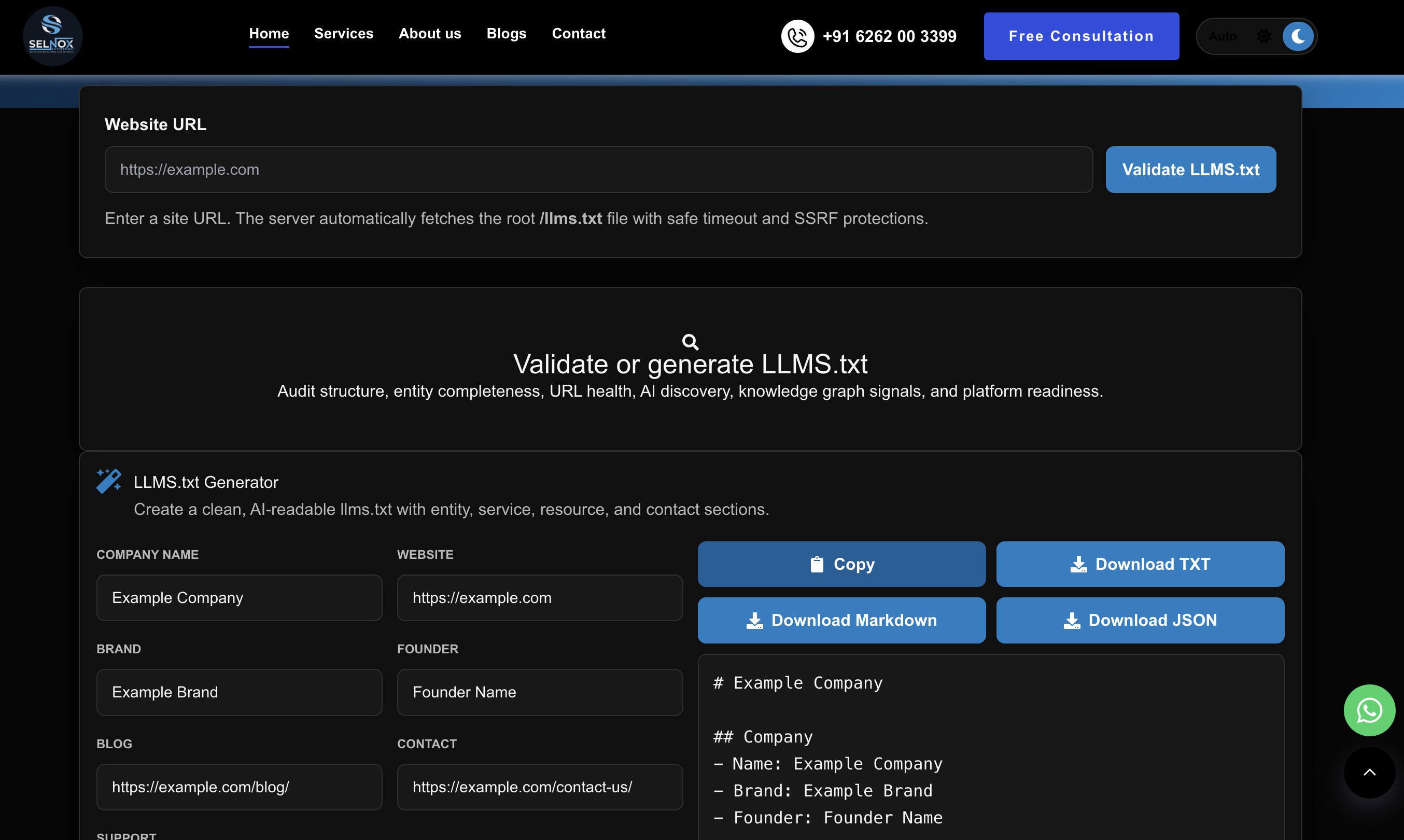
Selnox’s free LLMS.txt Generator does this automatically: point it at your site, and it crawls your pages, organizes them into properly structured sections, and generates a ready-to-use llms.txt file, formatted correctly to spec, in seconds. No manual formatting, no risk of a malformed file being one of the “never read” ones from earlier.
Keep it Updated
A file that accurately reflects your current site is doing its job. One that still points to pages you removed six months ago is exactly the kind of stale, low-effort file the research found gets ignored.
FAQ
Is llms.txt required for SEO?
No. It has no confirmed effect on traditional Google rankings, and no major search engine treats it as a ranking factor. It’s a separate, forward-looking file aimed at AI systems, not a replacement for standard SEO fundamentals like robots.txt, sitemaps, or page-level optimization.
How often should I update my llms.txt file?
Whenever your key pages change meaningfully, new product pages, major content updates, or removed pages. A stale file pointing to outdated content is worse than no file at all, since it actively misguides any AI system that does read it.
Do I need coding skills to create one?
No. The format is plain Markdown, so it’s readable to write by hand for a small site, and tools like Selnox’s free LLMS.txt Generator handle the formatting automatically for larger ones, no coding required either way.